Lead intake software for roofers & contractors
Collect the project details your team needs before the first follow-up. Cliont combines your video greeting with guided questions, supported damage-photo uploads, and configured lead scoring. Add an authorization step when it fits your process, then review the submitted scope, timing, and contact information before discussing an inspection or estimate.
Introduce your company in your own words
Explain your services and the next step before a customer submits an inquiry.
Show customers who will review their request.
Introduce the people and process behind your services.
A video greeting gives homeowners and business owners a way to hear your approach before your team contacts them.
People don't hire websites.
They hire people they trust.
Homeowners and business owners making a major investment need to trust the person behind the work.
Show who you are.
Be memorable.
Let them see your face, hear your voice, and understand your approach.
Explain how you help.
Speak their language.
Explain what your team will review and what happens after the inquiry is submitted.
Make the next step clear.
That's how trust starts.
Give customers a clear way to describe the project and request a follow-up.
Collect project details with guided intake
Ask about the work, reported damage, timing, and supporting information before your team follows up.
Basic contact details leave questions.
A name, email, and phone number identify the requester. Your team may still need the project type, condition, location, and requested timing before deciding how to respond.
Guided intake adds context.
Use service-specific questions and conditional steps for roof replacement, storm-damage inquiries, or remodeling. Your team receives the submitted answers together and verifies the scope during follow-up.
Explain the next step before you call
Free Estimate Authorization
Configure an estimate-authorization or electronic-signature step when it fits your company’s process. Your company supplies and reviews the wording. The submitted authorization can accompany the inquiry, while your team confirms contact permission, scope, and appointment availability separately.
Review each inquiry with
project context
Configured answer weights help your team prioritize follow-up; staff review the submitted details.
Cliont can score the intake responses using your configured criteria and send lead details through your enabled notification and routing workflows. Your team reviews the project description, selected service, requested timing, and attachments before deciding what to ask or arrange next.
Illustrative lead example — fictional contact details, answers, and score.
Get the full picture before you call them back.
Configure supported photo, video, voice-note, and document options for your intake. Customers can share existing damage photos or project information using a compatible device and browser.
Supported attachments stay with the lead for team review. They add context to the requester’s answers; your company determines whether an inspection, more information, or a separate estimate is needed.
Illustrative upload sequence — no files are submitted here.
Designed for mobile and desktop
Review your configured intake in desktop, tablet, and phone browsers.

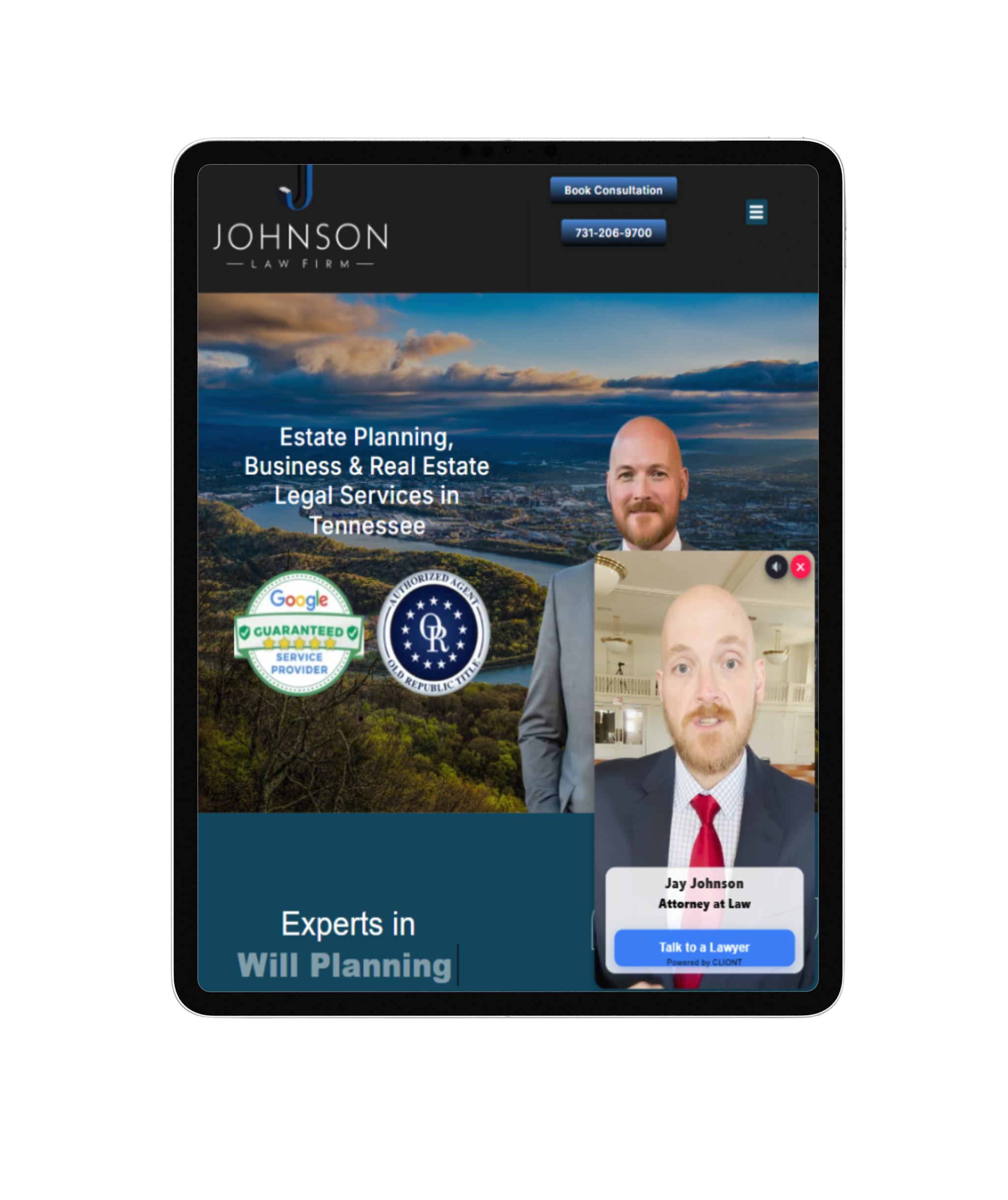

Browsers
Screens
Browsers
Route leads to your connected tools
Connect Cliont to HubSpot, HighLevel, or monday.com. Other destinations require a configured webhook, Zapier, or an API workflow; confirm the destination and field mapping during setup.
The client journey with CLIONT
From an initial project inquiry to submitted details your team can review.
The Old Way vs The New Way
Compare a basic contact request with a configured project-intake flow.
❌ The Old Way
✅ The New Way
Intake for contractor services
Example service categories — explore the questions and workflows for your trade.
Explore intake questions for your trade
Start with the home-improvement catalog to review service-specific intake. Roofing flows can ask about reported leaks and damage; remodeling flows collect project scope; HVAC, plumbing, and electrical inquiries use questions for those services. These pages describe software intake, while your company verifies the request and performs the work.
Contractor intake questions
What does Cliont collect for a roofing inquiry?
Your configured intake can ask about the requested work, reported damage, timing, property ownership, and insurance-claim context. Photos and supported attachments can accompany the submission. Your team verifies the details and determines the inspection or estimate scope.
Does a lead score predict whether a job will close?
No. Configured answer weights help your team prioritize follow-up. A score does not establish job value, insurance coverage, repair suitability, or the probability of a sale. Your team reviews the answers and decides what to do next.
Can the intake include an estimate authorization?
You can configure a document or electronic-signature step for your company’s intake. Your company supplies and reviews the wording, explains the next step, and confirms any appointment separately. The illustrative authorization on this page is not a signed customer agreement.
Which systems can receive contractor leads?
Cliont supports connections to HubSpot, HighLevel, and monday.com. Other destinations can use a configured webhook, Zapier, or an API workflow. Confirm the destination and field mapping during setup; a listing here does not imply a direct connection to every contractor CRM.
Can customers complete intake on a phone?
The intake is designed for mobile, tablet, and desktop browsers. Supported photo, video, voice, and document options depend on your form configuration, device permissions, and browser support. Review your configured flow on the devices your customers use.
How are the two plans priced?
The Professional Plan is $397 per month with a 14-day free trial. Pay Per Lead is $47 per submitted lead without a monthly plan fee. Lead scoring supports your review; it does not guarantee a job or customer outcome.
Product information reviewed October 5, 2026. Illustrations on this page use fictional details; your configured intake and team review determine the next step.
Simple transparent pricing
Choose the plan that works for your business
Professional Plan
Monthly intake plan for your contractor business
Pay Per Lead
Pay for submitted leads with no monthly plan fee
Bring project details
into your intake
Give your team a structured way to review homeowner and business inquiries: guided questions, English and Spanish options, and supported attachments.